During all these years the Health application has undergone an impressive transformation, offering a deeper insight into our health and greater ease of use. Let’s see what its most important features are.
Table of Contents
The “heart” of the Health Application
The idea behind the Health application is to create a centralized place in which we can organize our personal health data as users. This application, which is available on the iPhone, Apple Watch and now also on the iPad, is presented as the place that can gather all our health data from various third-party applications and devices. From step counters and sleep management to monitoring medications or the state of our mental health. The Health app integrates seamlessly with a wide variety of devices and services.
The Health application organizes our data into different categories that we can access from the “tabExplore”: activity, hearing, vital signs, cycle control, heart medication, body measurements, mobility, nutrition, breathing, mental health, symptoms and sleep. In these areas, you can enrich your data and get even more out of the app with the help of third-party apps and also the Apple Watch.
The four fundamental pillars of the Health App
Activity, your ally for movement
The activity section is first on the list and is also one of the most prominent sections of the Health app. The app uses the iPhone’s accelerometer to track steps and distance traveled. This is especially useful if we always carry the iPhone with us. For Apple Watch users, you’ll be able to get more detailed metrics, including how often you stand up, calories burned, and other fitness-related data.
This section is closely related to the Fitness application where we normally record our workouts with the Apple Watch. In it you will also find access to data such as Cardiac recovery wave Aerobic Capacity.
Nutrition, keep control of your diet
Keeping a detailed diet log can be a challenge depending on how you want to do it, but the Health app offers a solution for this. We can use the nutrition tab to make a monitoring daily food consumption. Although this option requires you to manually enter information, the app integrates with third-party apps like MyFitnessPal or Lifesum, making the process easier by automatically syncing your meal data. If you are involved in this world, you probably know applications that you will be able to easily synchronize with the native Health App.
Sleep: A crucial factor for health
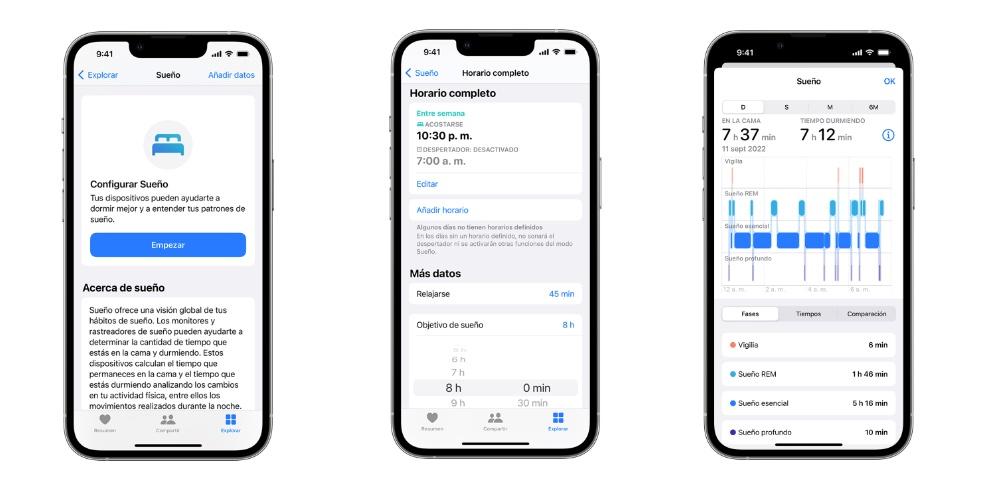
We also cannot ignore the “sleep” section. Quality rest is a very important element for any person’s health, and its impact is reflected in aspects such as stress, weight gain, and food choices. The Health app makes it easy to track your sleep through the sleep feature. Bedtime in the Clock app on your iPhone. Set your bedtime, and your phone will notify you when it’s time to rest. Additionally, you can schedule a wake-up time to ensure you get up on time.
Although the Apple Watch does not yet include a native sleep tracking function, there are numerous applications available to address this lack. Applications that you can later synchronize with the Native Sleep App. Additionally, devices like Beddit, which sync with Apple Watch and iPhone, provide detailed data on sleep time, heart rate, breathing, and other sleep-related aspects.
Monitoring menstruation and fertility
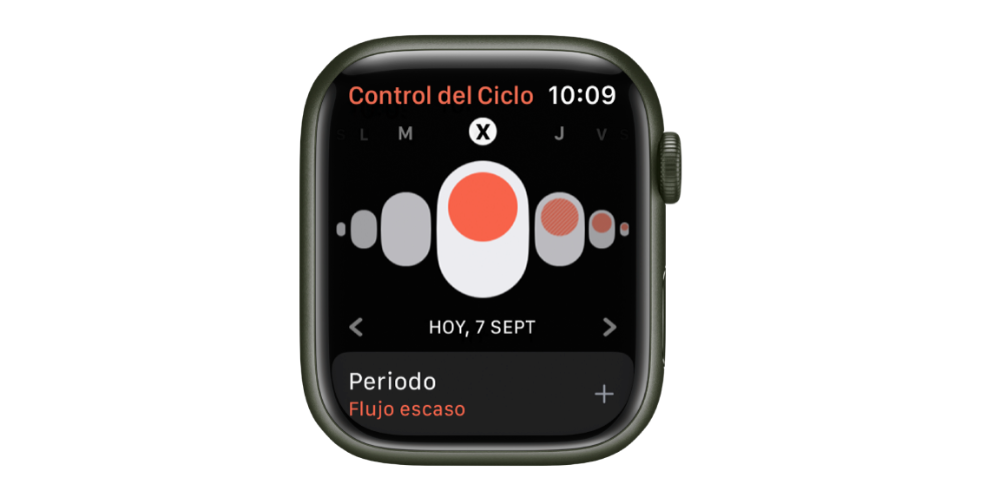
For some time now it has also been possible to keep a record of the menstrual cycle with Cycle control. This feature is available as a standalone app on the Apple Watch and is also integrated into the existing Health app on the iPhone. In it we can record symptoms, basal temperature and ovulation test results, which provides a detailed view of the menstrual cycle.
All in all, Apple’s Health app has evolved considerably since its debut in 2014. It now offers users a more complete and easier way to keep track of their health and well-being.